
Bluesky Video Downloader
Download Bluesky videos, Images, and Image Slides in High-Quality formats! (Support .ts and .mp4 formats)


How to Use BlueSky Downloader?
Save your favorite BSKY Videos, Images, GIFs and Slides in a few steps. Using our SkyDownloader tool is as easy as 1, 2, 3:
Copy any public Bluesky post URL that contains video or images, and paste it into the box above.
Our system will analyze the post’s content and extract all available media.
Choose your preferred quality and download the media directly to your device.
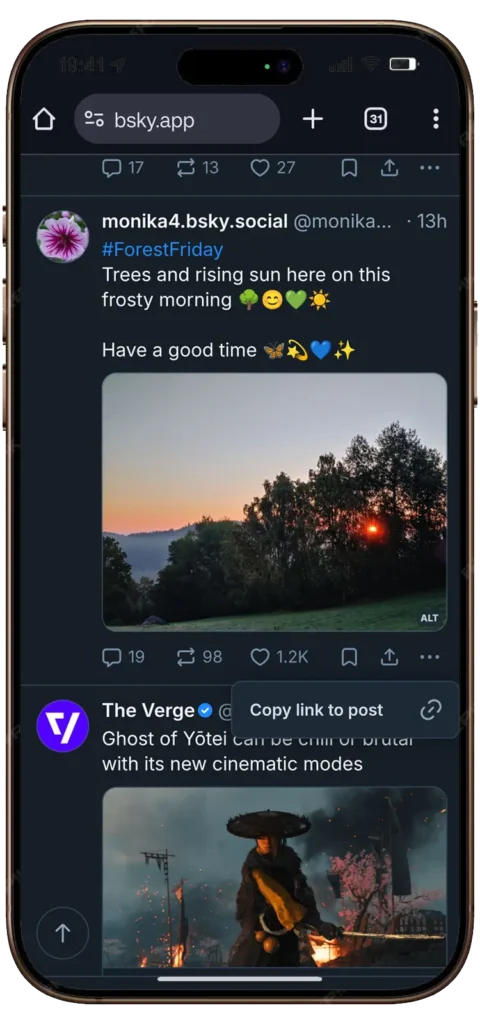
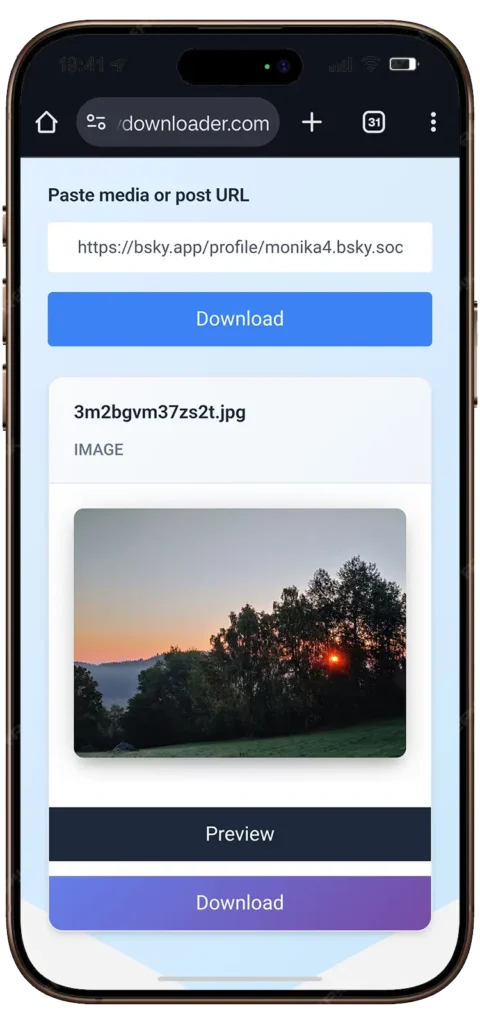
How it Works? (With Screenshots)
Downloading a Bluesky video is very simple. Even if you have never done it before, you can do it in less than 30 seconds. Here is how:

Why People Love SkyDownloader?
There are many tools online, but SkyDownloader is built to be fast, clean, and simple. Here is what makes it different:
- 100% Free — No hidden charges, no subscriptions
- No App Needed — Works directly in your browser
- Works on All Devices — iPhone, Android, Windows, Mac
- Fast Downloads — Most videos download in under 10 seconds
- No Watermark — Save the original video as it is
- Supports MP4 Format — Play the video anywhere
- No Login Required — No account, no email, no password
- Safe and Private — We do not store your videos or data
Note: If you are using X (Formally Twitter.com) then you should try our Twitter Video Downloader.
What Can You Download with SkyDownloader?
SkyDownloader supports all types of Bluesky media. Here is what you can save:
- Bluesky Videos — Regular video posts from any public account
- Bluesky GIFs — Animated GIFs shared on Bluesky posts
- MP4 Files — High quality video format you can play anywhere
Looking to save GIFs? Try our Bluesky GIF Downloader.
Want MP4 format specifically? See our Bluesky to MP4 converter.
What is Bluesky Video Downloader?
The Bluesky Video Downloader is a simple tool made to help you download content from your Bluesky feed.
It’s like having a magic key that lets you save:
- Photos: Save high-quality images with a single click.
- Multiple Images: Our tool can import multiple images at once, just paste the URL of the multi-image post and download them one by one.
- Videos: Download your favorite videos in .ts or .mp4 format to watch it offline, anytime.
- GIFs: Keep those funny, looping animations forever.
Our tool is designed to be super easy to use — no technical skills required. Even if you’re not a tech expert, you can still download anything in seconds. Just copy, paste, and enjoy your content offline!
Bonus: If you use snapchat daily and want to save your favourite snaps then you should try our Snap Video Downloader.
Where to Find the Video Link on Bluesky?
Not sure where to find the link? Here is a quick visual guide:
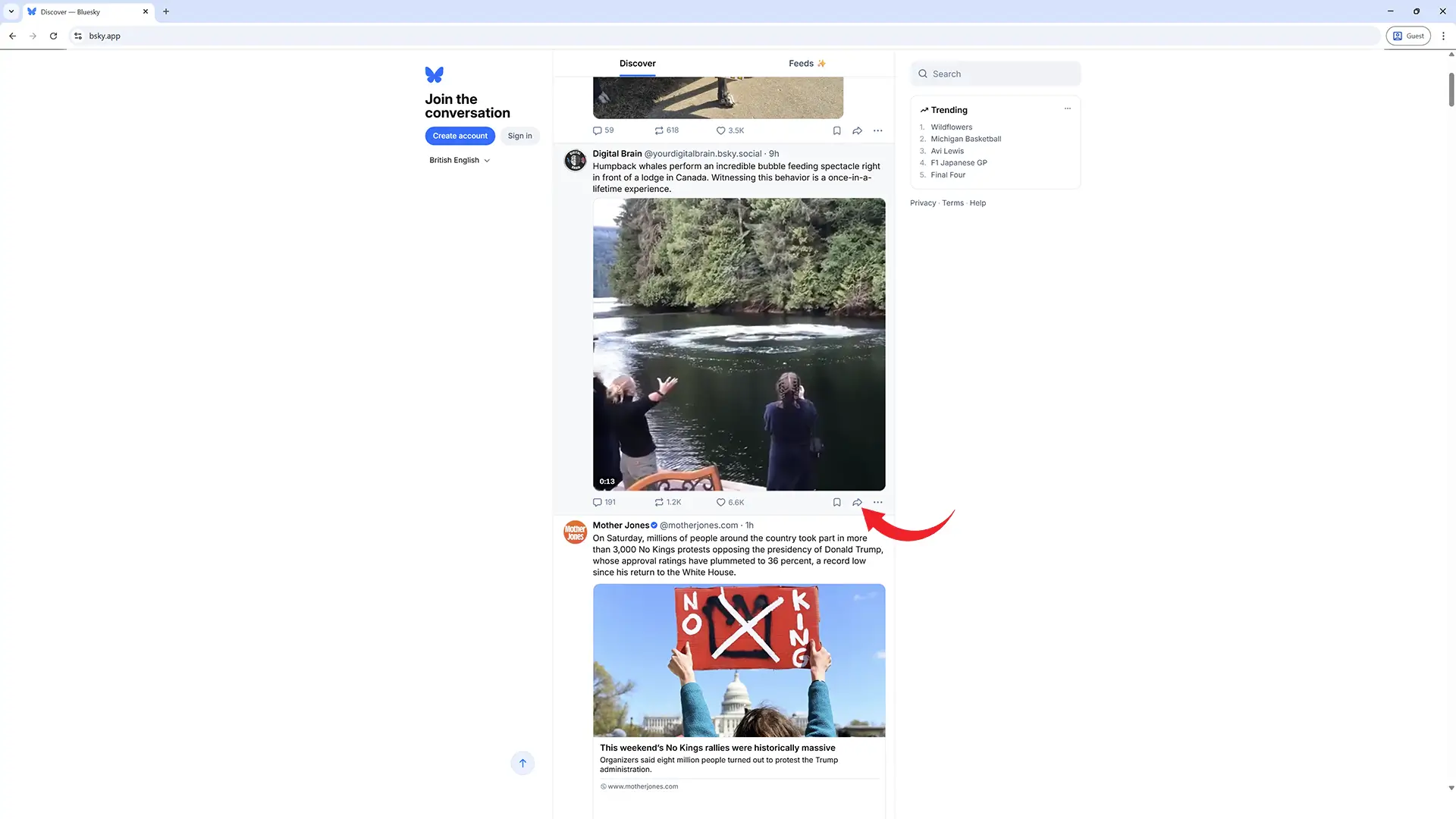
On Windows PC and Mac:
1. Open the Bluesky app (or go to bsky.app on your browser)
2. Find the post with the video you want to download
3. Click the ➦ icon in the bottom right corner of the post
4. Now Click on “Copy link to post” from the menu
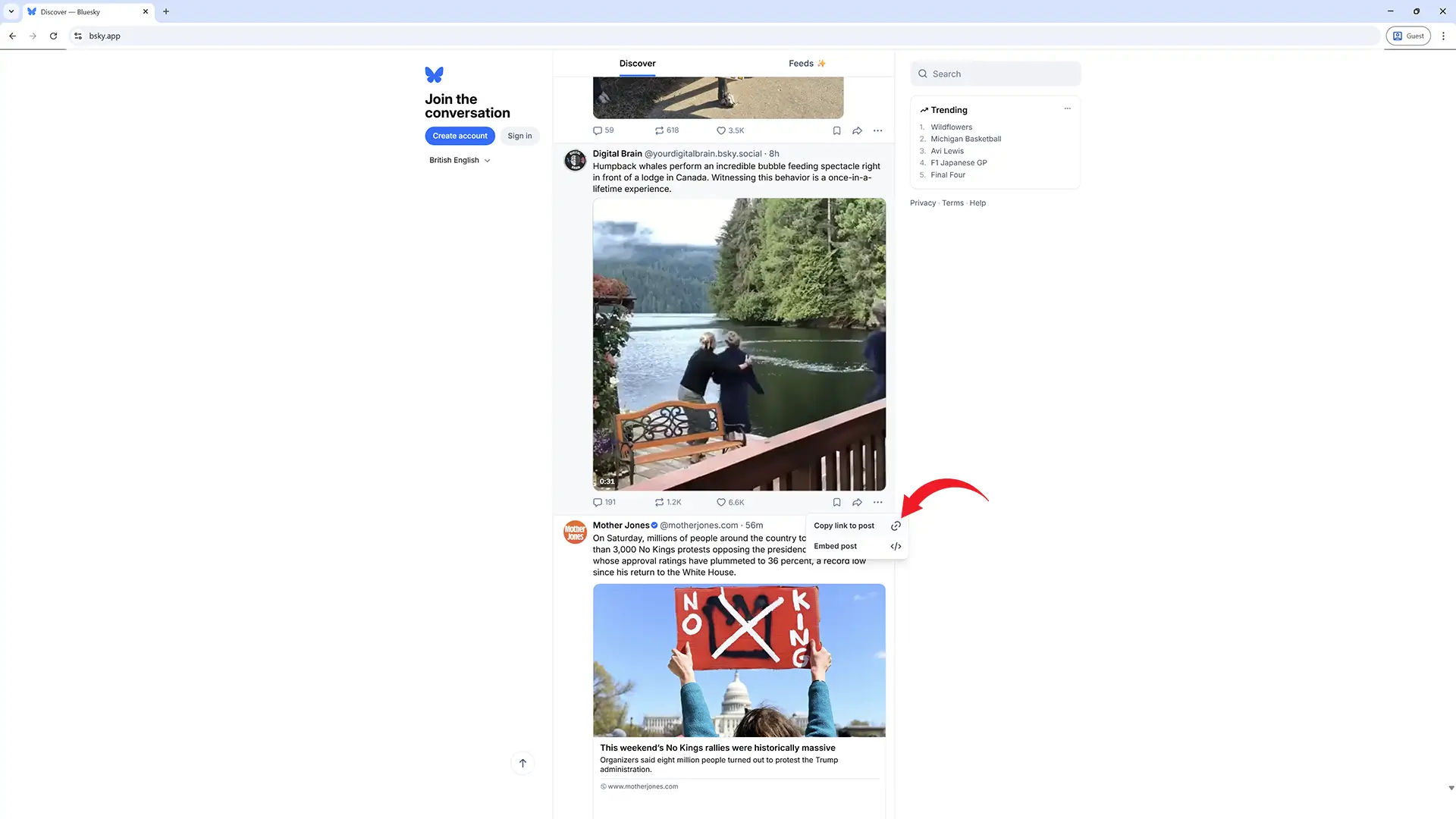
Come back here and paste it in the box above, If you don’t know how to use skydownloader, then learn how to use skydownloader.com.
Tip: The link will look something like this:
https://bsky.app/profile/username/post/abc123
That’s all it takes! Within few seconds, you can have your favorite content saved for offline viewing.
On Android and iPhone (Smartphone):
1. Open bluesky app and find the post which you want to download
2. Tap on the ➦ icon at the bottom right corner of the post

If you don’t have bsky app installed in your smartphone, then first install it:
Android Users: https://play.google.com/store/apps/details?id=xyz.blueskyweb.app&hl=en
iPhone Users: https://apps.apple.com/us/app/bluesky-social/id6444370199
3. Then tap on “Copy link to post” from the menu
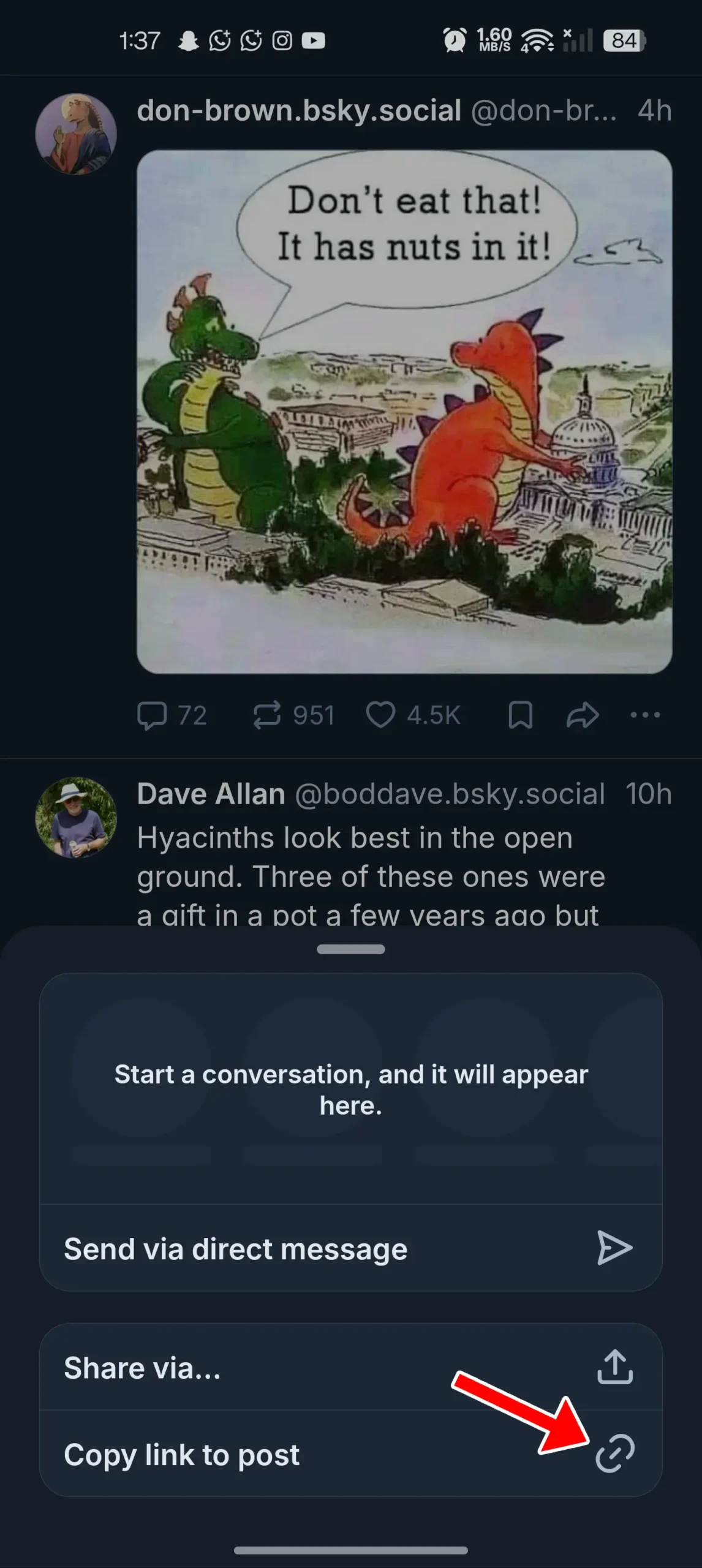
You are done.
How to download Bluesky Videos, Images and Gifs?
Don’t just watch and scroll. Learn how to permanently save your favorite Bluesky videos, images, and GIFs to your own device in just a few clicks. Just follow the below quick steps:
Step 1: Find and Copy the Link
- Find the bsky’s post with the video or image you want to download.
Tip: If you don’t know how to copy bluesky’s post link then read this guide.
Step 2: Paste the Link into the Downloader
- Go to SkyDownloader.com
- Paste the copied link into the empty box on the website.
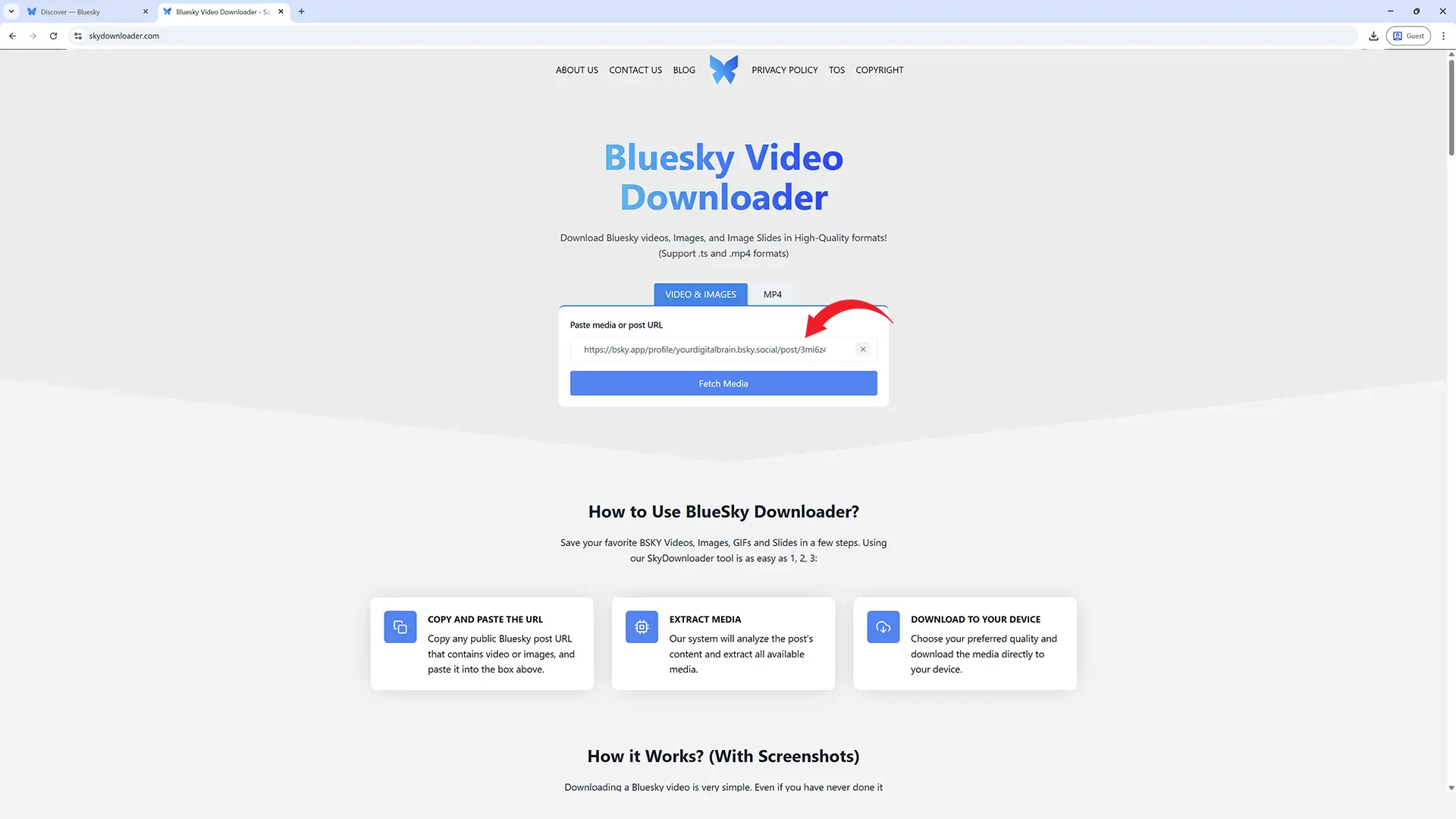
Step 3: Download Your File
- Click the “Fetch Media” button.
- The tool will show you the video, image, or GIF. Just click the “Download” button to save it directly to your device.
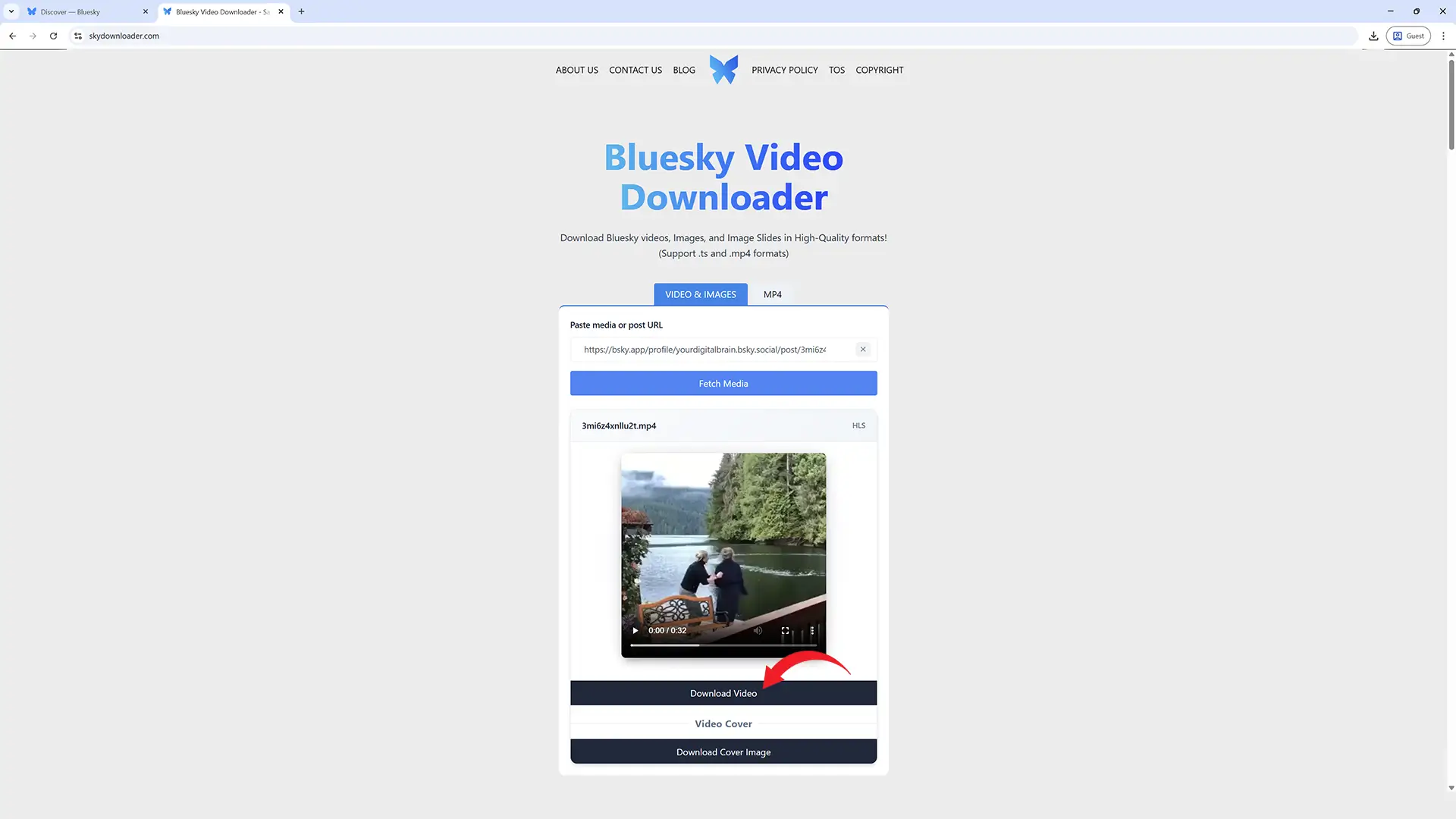
That’s all it takes! Within few seconds, you can have your favorite content saved for offline viewing.
If you don’t want to read the guide then you can watch its complete tutorial here.
Video Guide:
Frequently Asked Questions
Start Downloading Bluesky Videos Right Now
You do not need any special skills. You do not need to install anything. SkyDownloader works right here, right now in your browser.
Scroll up, paste your Bluesky video link, and click Download. Your video will be ready in seconds.